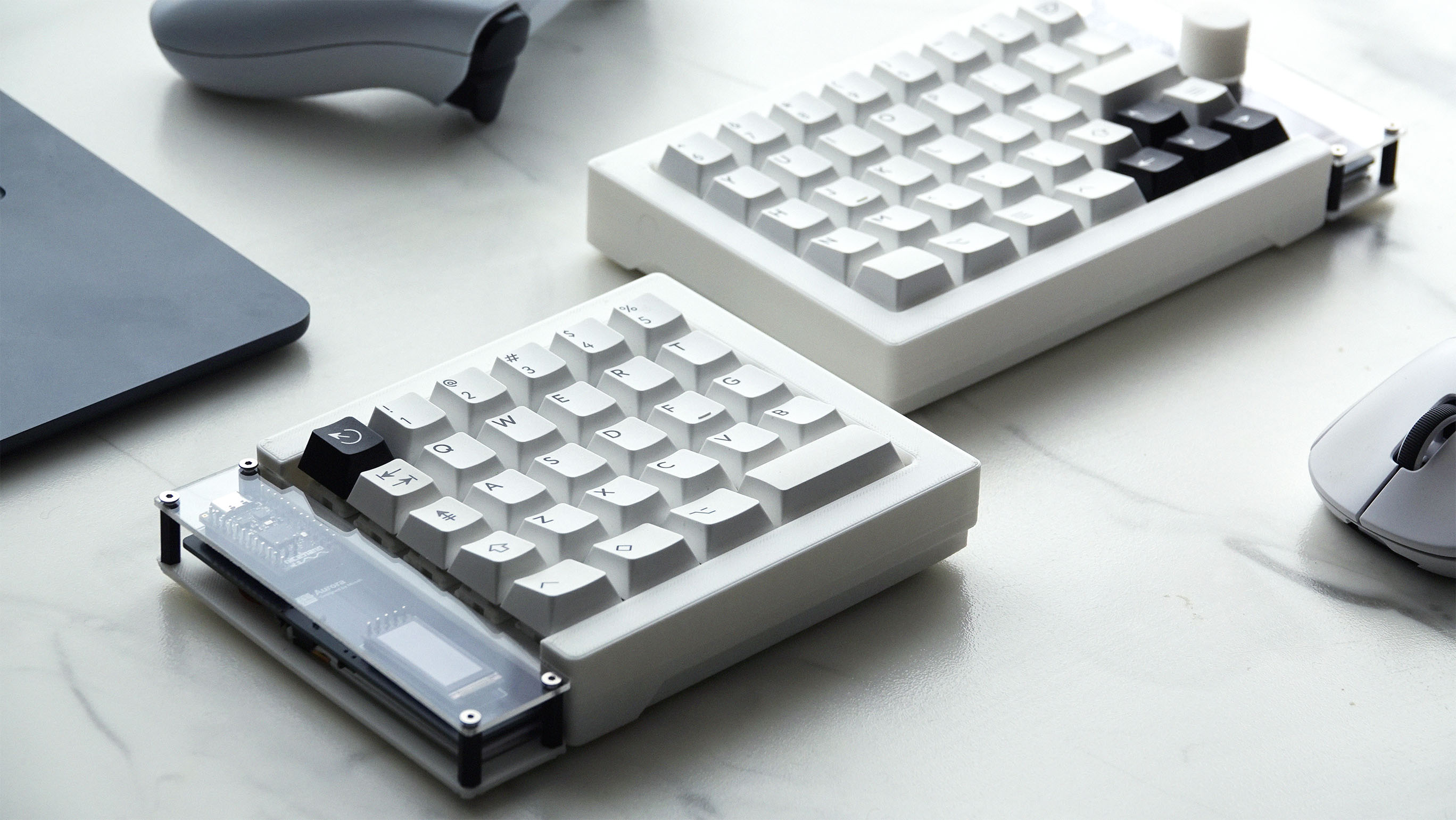
Aurora is a fully custom, split, wireless ergonomic mechanical keyboard that I designed and built from scratch to solve a problem I dealt with every day: long hours on a standard keyboard were uncomfortable, fatiguing, and never quite fit how I actually work.
I had tried several off-the-shelf keyboards, including ergonomic and mechanical options, but they all involved compromises, awkward layouts, missing keys, or weren't wireless. Rather than adapting my workflow to an existing product and testing products, I decided to design a keyboard built for me and only me, something designed for my hands. I wanted to do everything, from the physical layout to the electronics and firmware.
This project grew into a full end-to-end hardware build, combining mechanical design, PCB design, embedded systems, and a lot of failed prototypes. The final result is a keyboard that I think is perfect. It's comfortable, compact, and looks beautiful. I even decided to open-source it and release it online for others to build and modify.
This project was featured by the UBC School of Engineering and UBC Okanagan.
Design Goals
Before starting any CAD or schematic work, I defined a few core goals for the keyboard
- True split ergonomic design to reduce wrist and shoulder strain
- No layout compromises, I need a full 65% layout with dedicated arrow keys and modifiers
- Fully wireless operation, with both Bluetooth and dongle support
- High customization, both mechanically and in firmware
- Buildable by others, with clear documentation and open-source files
Layout and Ergonomics
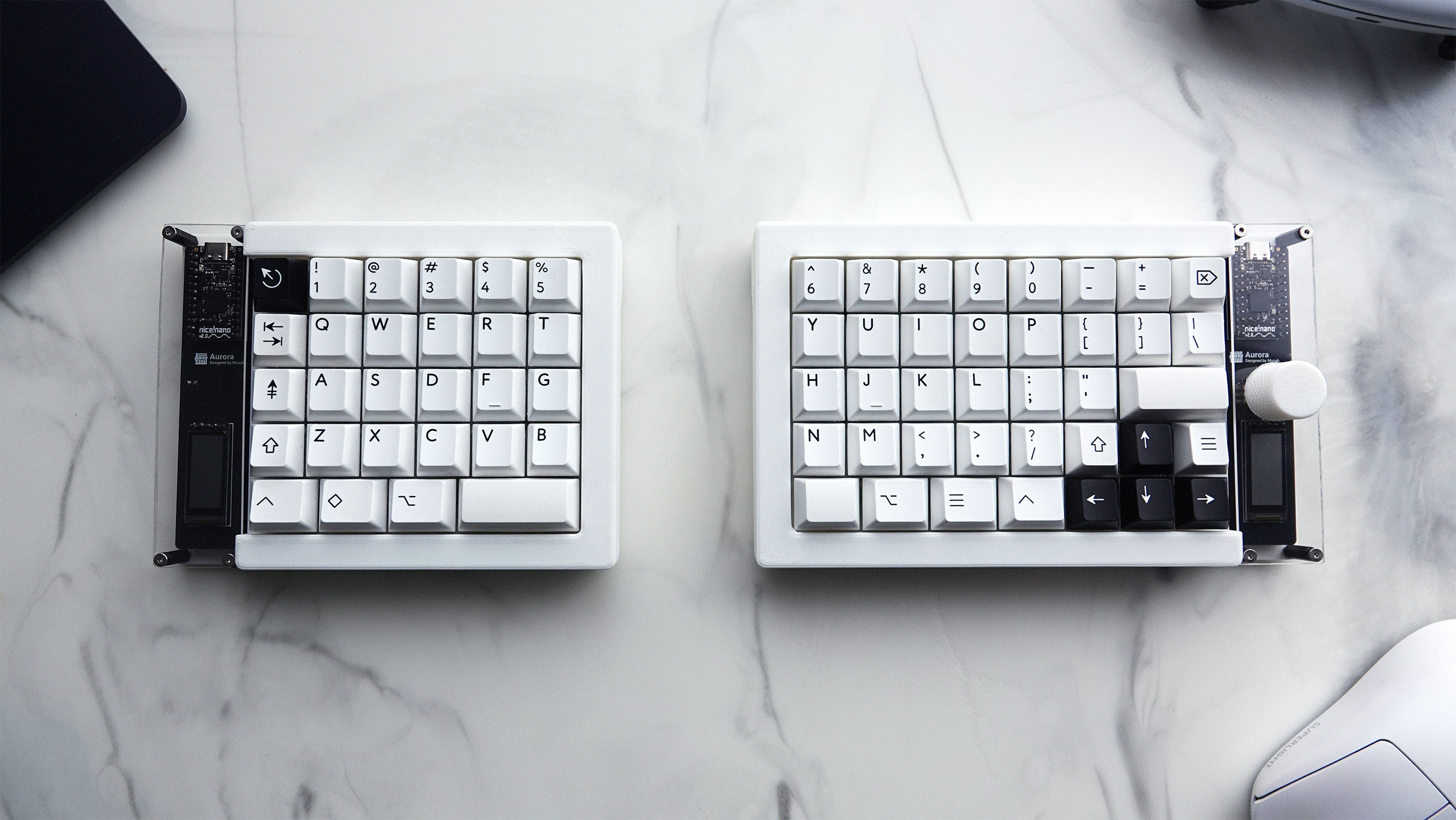
Aurora uses an ortholinear, split layout, allowing each half to be positioned independently for a more natural hand posture. Unlike many ergonomic keyboards, I kept a full 65% layout so that common keys, arrows, and shortcuts remain easily accessible without layers or awkward combinations.
The two halves are asymmetrical, with the right side slightly larger to accommodate the layout and additional features. This asymmetry better matches how the hands actually interact with the keyboard instead of following a typical symetrical split keyboard design.
Case and Mechanical Design
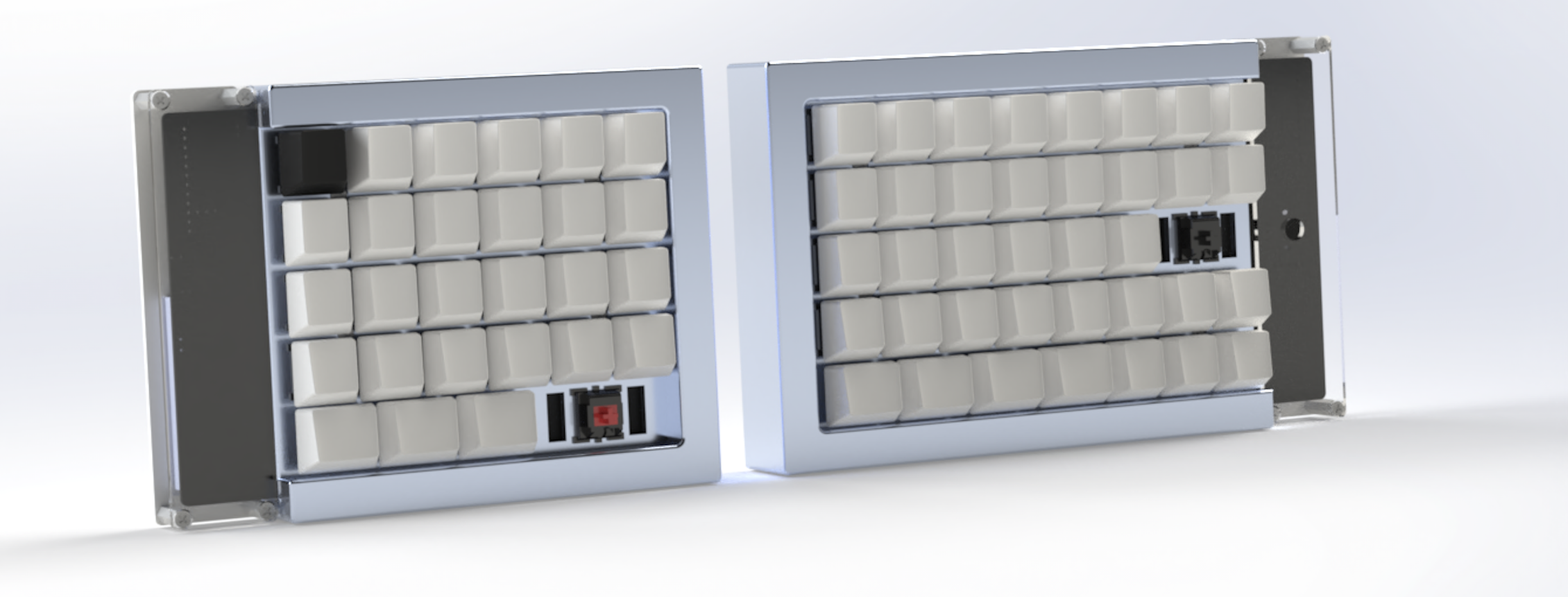
The case was designed as a plate-mounted system with a top plate and flat bottom base for each half. The PCB, microcontroller, and OLED displays are exposed at the inner edges and protected by a custom acrylic cover.
All mechanical parts were designed in SolidWorks, with STL files for 3D printing. After going through over 5 different case designs, and many further incremental improvements, I settled on one that was easy to assembly, disassemble, and modify without requiring a complicated teardown.
Optional features such as internal magnets and rubber feet allow the keyboard halves to snap together and stay stable on a desk.
Electronics and PCB Design
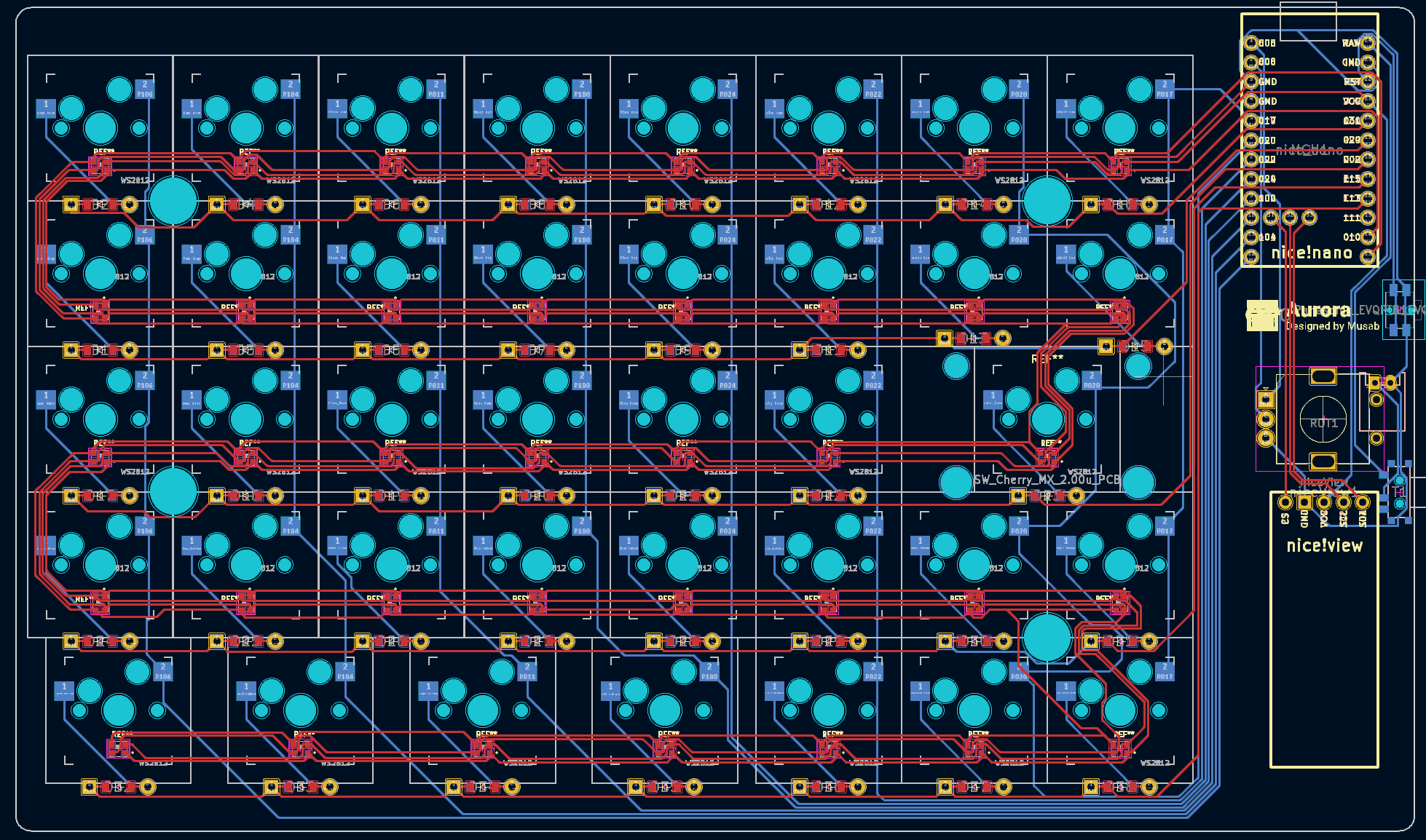
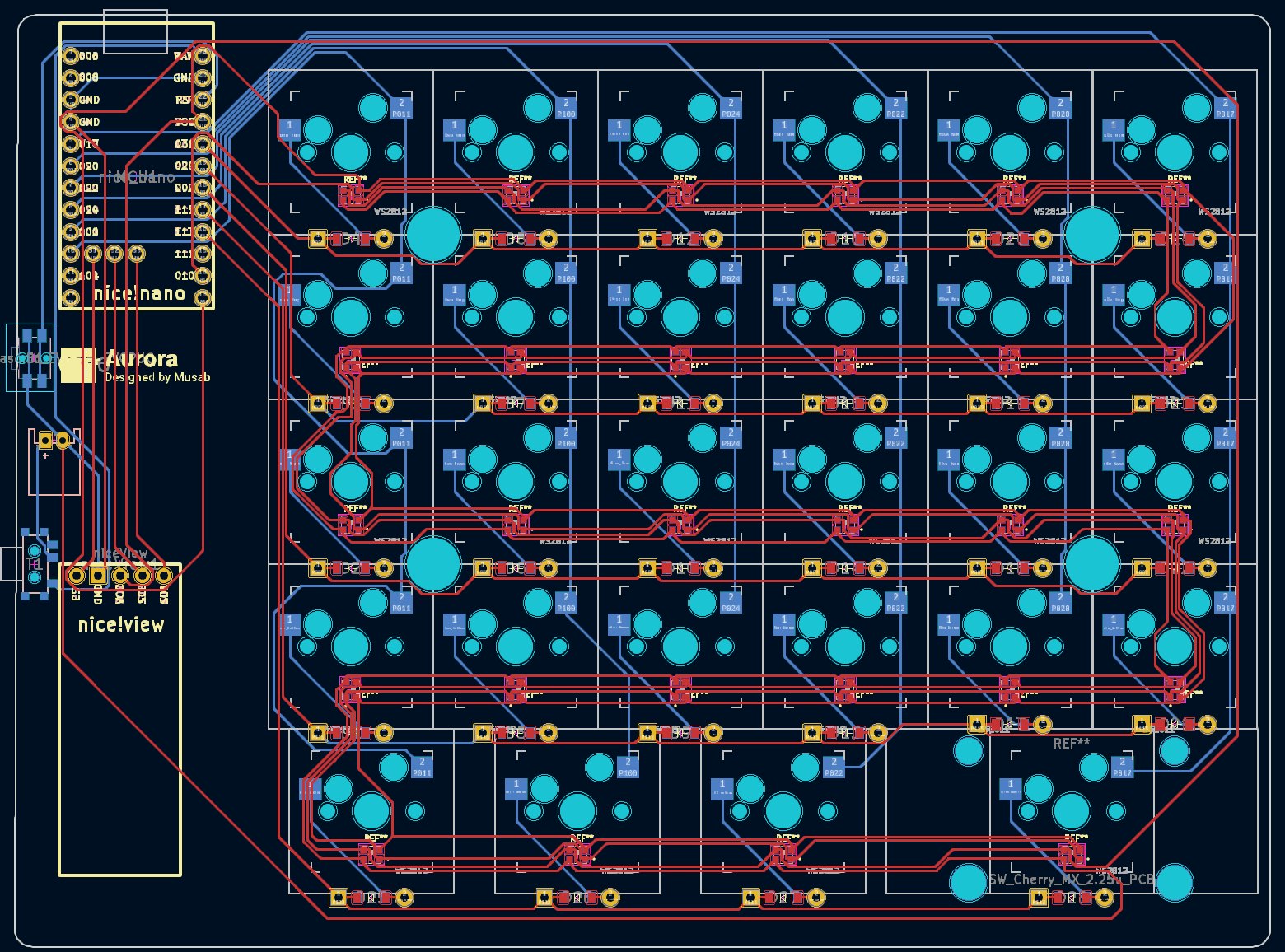
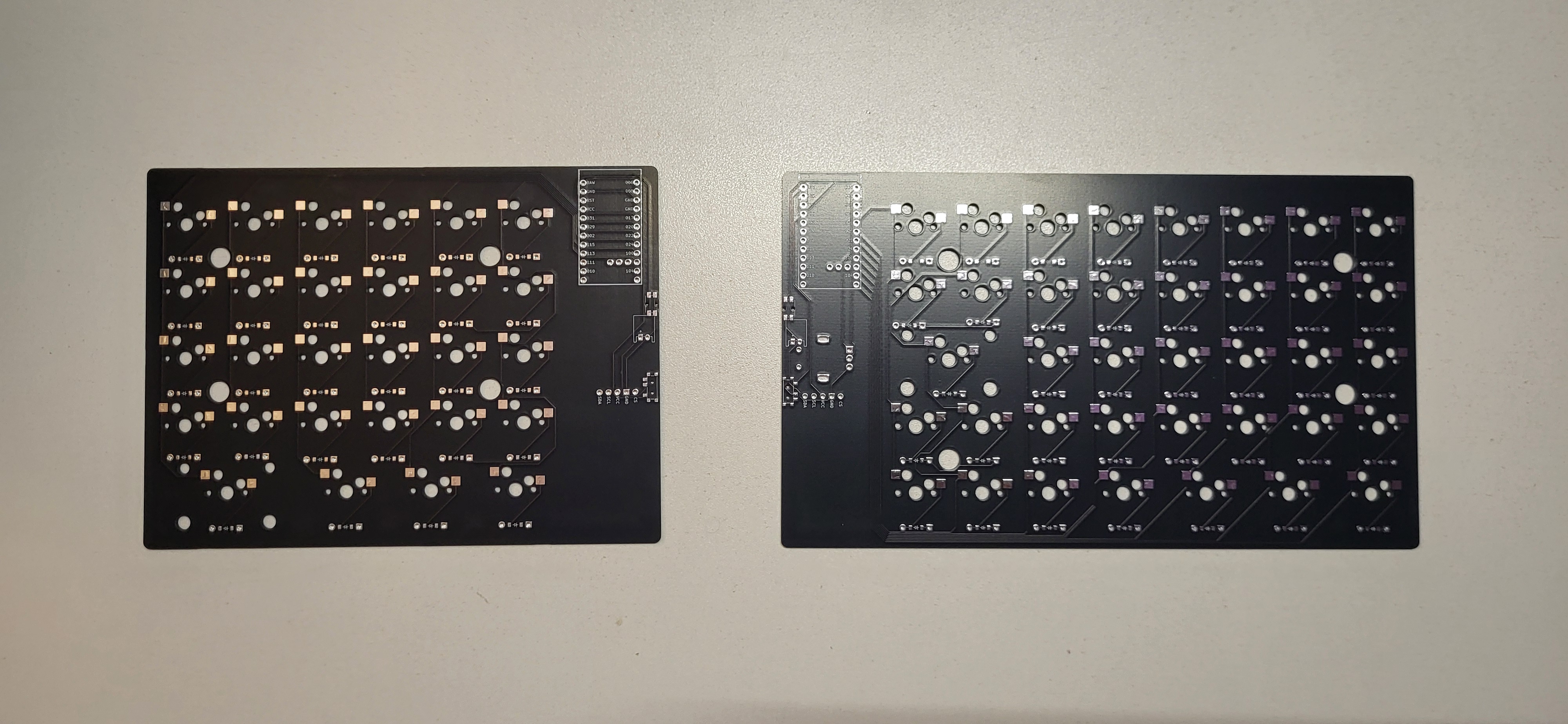
The keyboard electronics are built around nice!nano microcontrollers, one per half, with an optional third controller used as a wireless dongle. The PCB was initially generated through code by using a tool called Ergogen and then manually routed in KiCad to get a fabrication-ready pcb gerber file.
Each key is designed to be hotswappable, allowing switches to be changed without soldering. The PCB also supports optional per-key RGB lighting, though this is a feature that needs some work in a next iteration.
Wireless Operation and Dongle System
Aurora supports both Bluetooth and wireless dongle operation, allowing it to switch between different devices and use cases.
The optional dongle is housed in its own custom case and can slot directly into the left half of the keyboard. When magnetic pogo connectors are installed, inserting the dongle automatically switches the keyboard to Bluetooth mode using the left-side battery.
This setup is perfect for me where some devices I use dont have USB-A ports while others do.
Firmware and Customization
Aurora runs on the ZMK firmware, enabling full key remapping, layers, macros, and wireless configuration. The firmware is stored in a separate repository to keep the hardware files clean and modular.
This firmware flexibility allows the keyboard to evolve over time as my workflow changes, rather than being locked into a fixed layout or feature set.
Open-Source Release
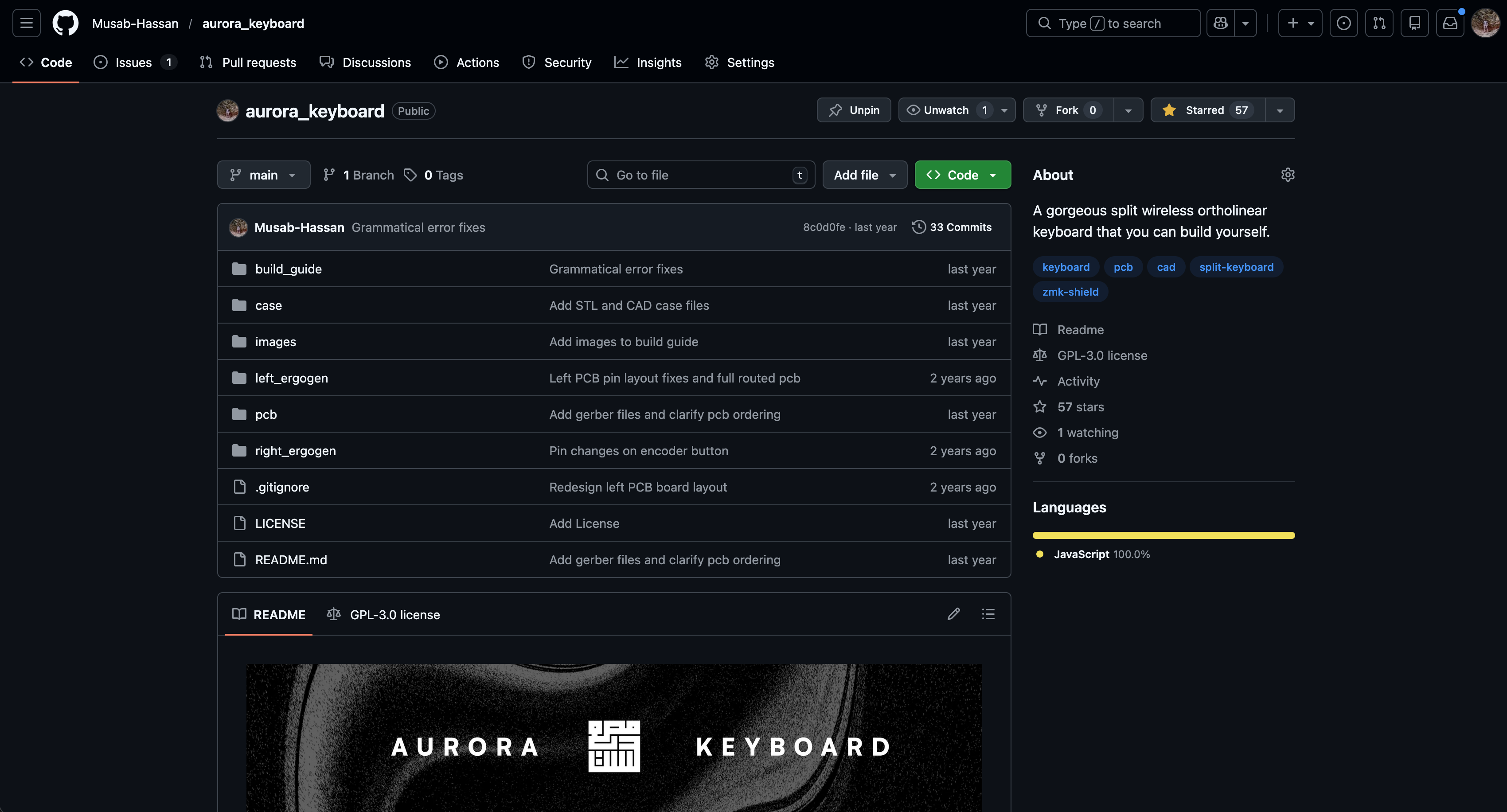
One of the most important parts of this project was making it fully open-source. I decided to release this shortly after completion on Github. This respoistory has the following:
- 3D-printable case files
- Editable CAD source files
- Fabrication-ready PCB files
- Ergogen configuration files
- A complete build guide
By sharing everything openly, I wanted others to be able to build the keyboard themselves, modify it, or use it as a starting point for their own designs.
UBC Okanagan Feature
This project gained enough attention that it was featured by the UBC School of Engineering and UBC Okanagan.
Results and Reflection
Holding a finished keyboard that I designed from the ground up was incredibly rewarding. Aurora solved the original problem it set out to address and I couldn't be more happy. It’s comfortable, reliable, and tailored exactly to how I work.
More importantly, this project pushed me well beyond following instructions or predefined labs. It required making real design trade-offs, debugging physical hardware, and iterating repeatedly when things didn’t work the first time. I think it's the best example of why I enjoy engineering, it's not just learning concepts, but turning ideas into real, usable things.