
This project is my ongoing self-hosted home minilab, where I designed, deployed, and maintain my own small-scale server infrastructure at home. What started as a way to centralize file storage grew into a full system for data hosting, media streaming, virtualization, game servers, and network management.
Rather than relying on cloud services, I wanted full control over my data, services, and network. This led me to build and configure everything myself, from storage and virtualization to networking, DNS, firewalls, and reverse proxies.
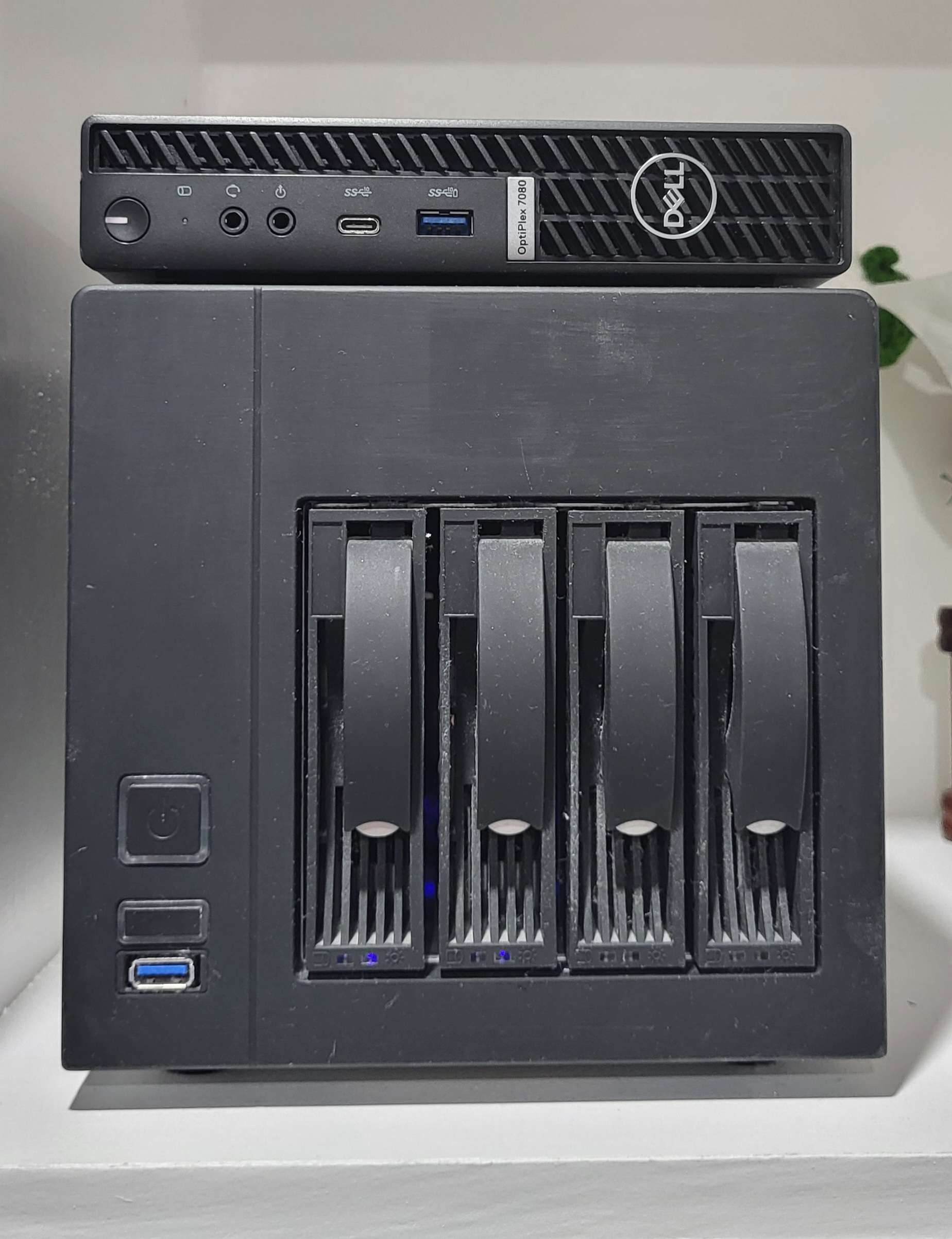
System Overview
My homelab is split across two primary servers, each with a clearly defined role:
- Unraid NAS - storage, core services, and infrastructure
- Proxmox compute node - virtualization, media services, and game servers
This separation keeps critical services stable on the NAS while allowing more heavy workloads to run independently on Proxmox VMs.
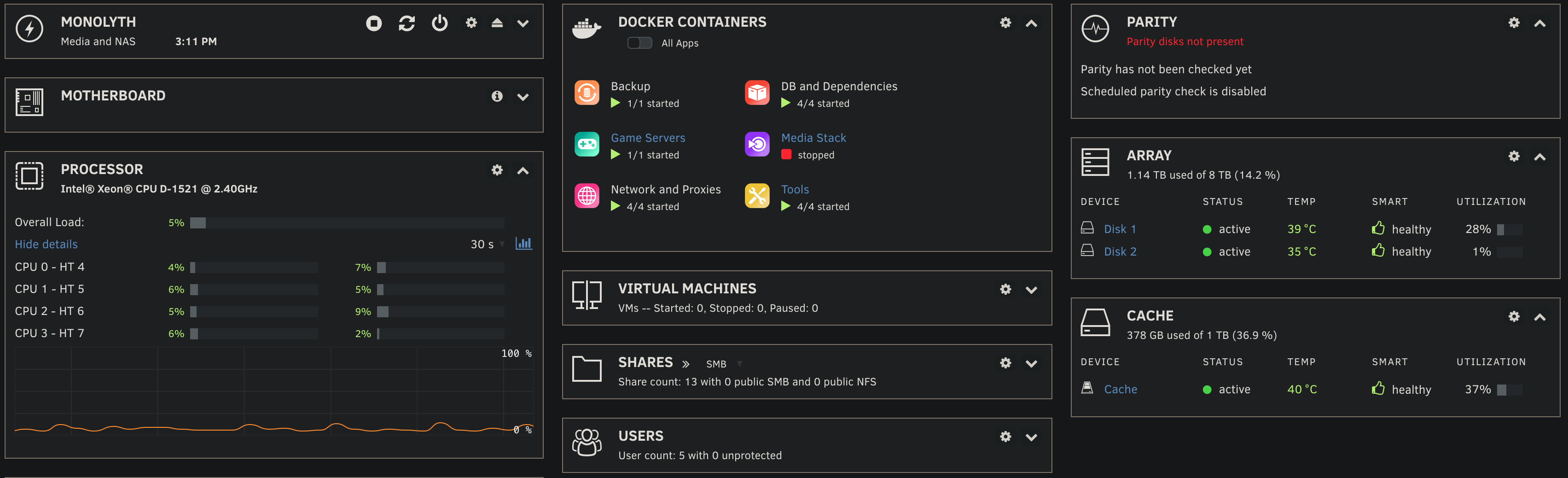
Unraid NAS (Monolyth) - Storage and Core Services
The Unraid server acts as the backbone of the homelab. I use it for:
- Network-attached storage (NAS) and shared drives
- Hosting databases for self-hosted services
- Self-hosted photo management and backups
- Docker containers for core infrastructure services
- Reverse proxies and internal service routing
I purchased the hardware as used off of facebook marketplace and installed multiple NAS grade hard drives to have a stable system. Since this hardware supports ECC memory, it is used to host all my infastructure critical applications onto it such as network proxies, 3-2-1 backup software, and databases.
I chose Unraid since its flexible storage model allows me to expand capacity over time while maintaining redundancy. Most services run in Docker containers to keep deployments isolated and easy to manage.
Proxmox Server (Arbiter) - Virtualization and Compute
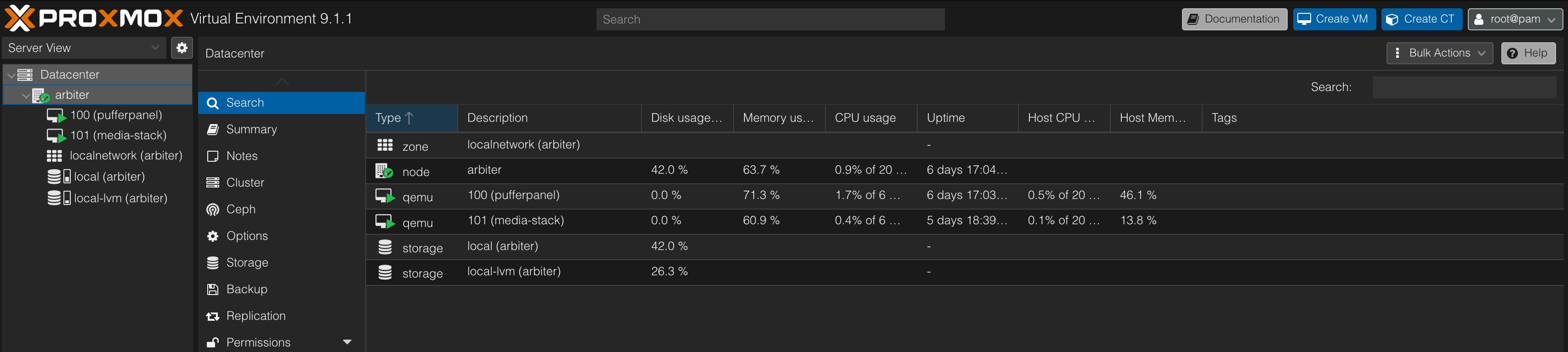
The second server runs Proxmox, which I use for heavier compute workloads and services that benefit from full virtualization.
This server hosts:
- Movie/TV media server and a complete media stack
- Multiple Linux VMs and containers
- Dedicated game servers for multiplayer hosting
- Test environments for experimenting with new services
I purchased a small Dell Optiplex with an i9 10900T to handle the heavier tasks the older Xeon of my NAS could not handle.
For this node, Proxmox was the best choice since it allows me to snapshot, migrate, and isolate workloads cleanly, making it easy to test changes without risking uptime on core services.
Networking, DNS, and Security
A major part of this project was configuring the networking and security layer properly rather than relying on default settings as I had multiple services that each needed different level of exposure to the internet.
I set up:
- Custom firewall rules and port forwarding
- Tailscale as a VPN to allow tunnelled access to private services
- Reverse proxy for clean service URLs and less exposed ports
- Segmented access between internal and external services
- Secure remote access over SSH over a VPN
This gave me a much better understanding of how real-world services are deployed securely and how different components interact across a network.
Automation and Reliability
To reduce manual maintenance, I focused on automation and stability:
- Containerized services for fast recovery
- Automated backups for all data including snapshots off of Proxmox
- Centralized configuration management
- Monitoring of service uptime and resource usage
The goal was not just to “make it work,” but to make it reliable enough to depend on daily, something I can happily claim now.
What I Learned
This homelab taught me skills that are difficult to gain through coursework in my degree.
- Real-world Linux server administration
- Networking fundamentals (DNS, routing, firewalls)
- Virtualization and containerization of services
- Debugging distributed systems when something breaks
- Designing systems with uptime, security, and scalability in mind
Many problems only showed up after weeks of use, forcing me to see exactly what went wrong and how to reproduce problems, allowing me to improve the system over time.
Ongoing Project
This homelab is not a finished project, it continues to evolve as my needs change. I regularly add new services, refine security, and improve performance. It's also a hobby so it will continue to grow until one day I'll have a Google datacenter in my basement.
Building and maintaining my own infrastructure has been one of the most practical and rewarding learning experiences I’ve had outside the classroom, and is my sandbox to test new things out.