
In this project, I worked on designing and evaluating a vision-based classification system for automatically sorting Lego pieces from RGB images as part of a machine learning course. My goal was to create a classifier that could differentiate different lego peices while adjusting to variations such as movement, rotation, and lighting changes.
In an earlier stage of the project, I trained a logistic regression classifier directly on raw pixel values, which worked well only in very controlled conditions. In this stage, my goal was to move toward a more realistic scenario by replacing raw pixels with a compact set of engineered, geometry-based features that better capture the shape of each Lego piece.
The Problem
The scenario for this project was an automated sorting system where Lego pieces move along a conveyor belt and are imaged from above. Each image contains a single Lego piece placed on a white background. The task was to classify the piece into one of four categories based on its top-view shape.
- 2×1 rectangular brick
- 2×4 rectangular brick
- 2×2 square plate
- 2×2 circular stud
Using raw pixel values worked reasonably well when all pieces were centered, aligned, and evenly lit. However, even small changes in orientation or lighting caused large drops in accuracy. This is why I decided to shift towards feature engineering, where the classifier is trained on geometric information rather than raw image pixels.
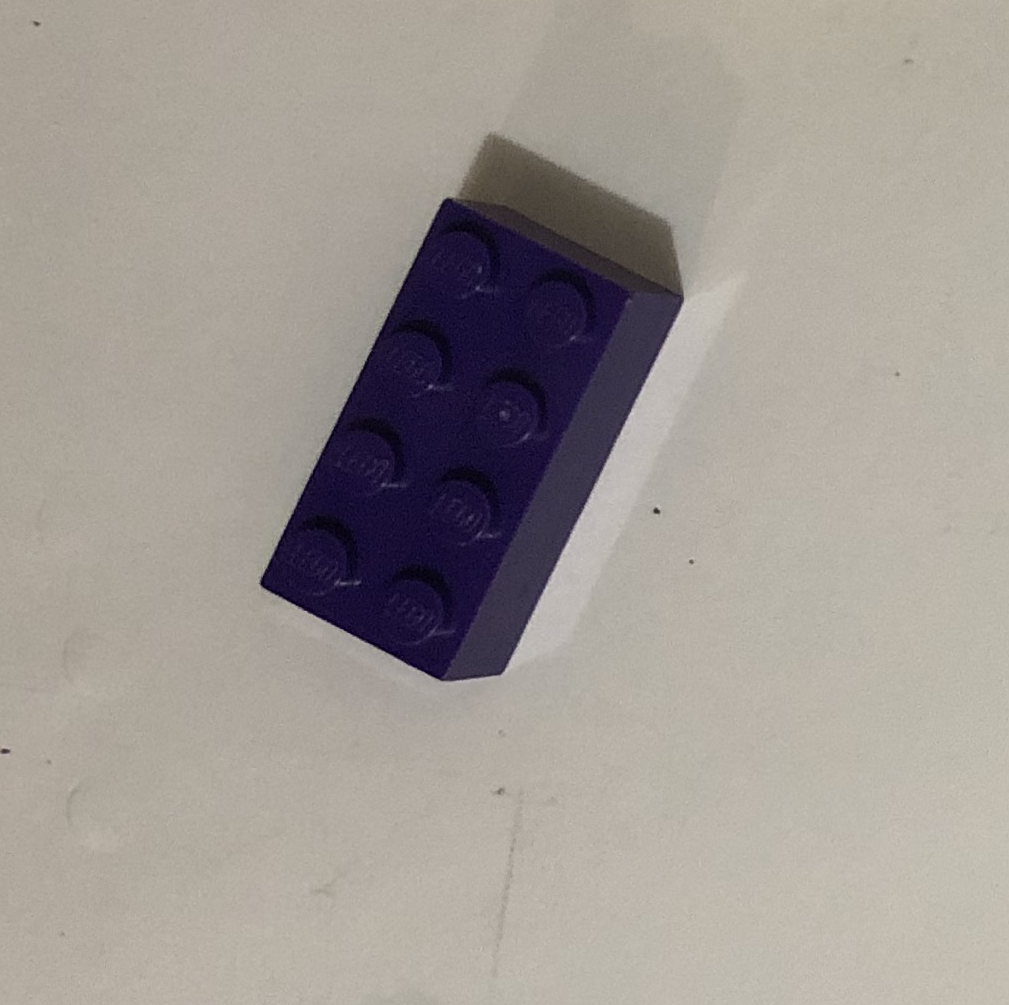
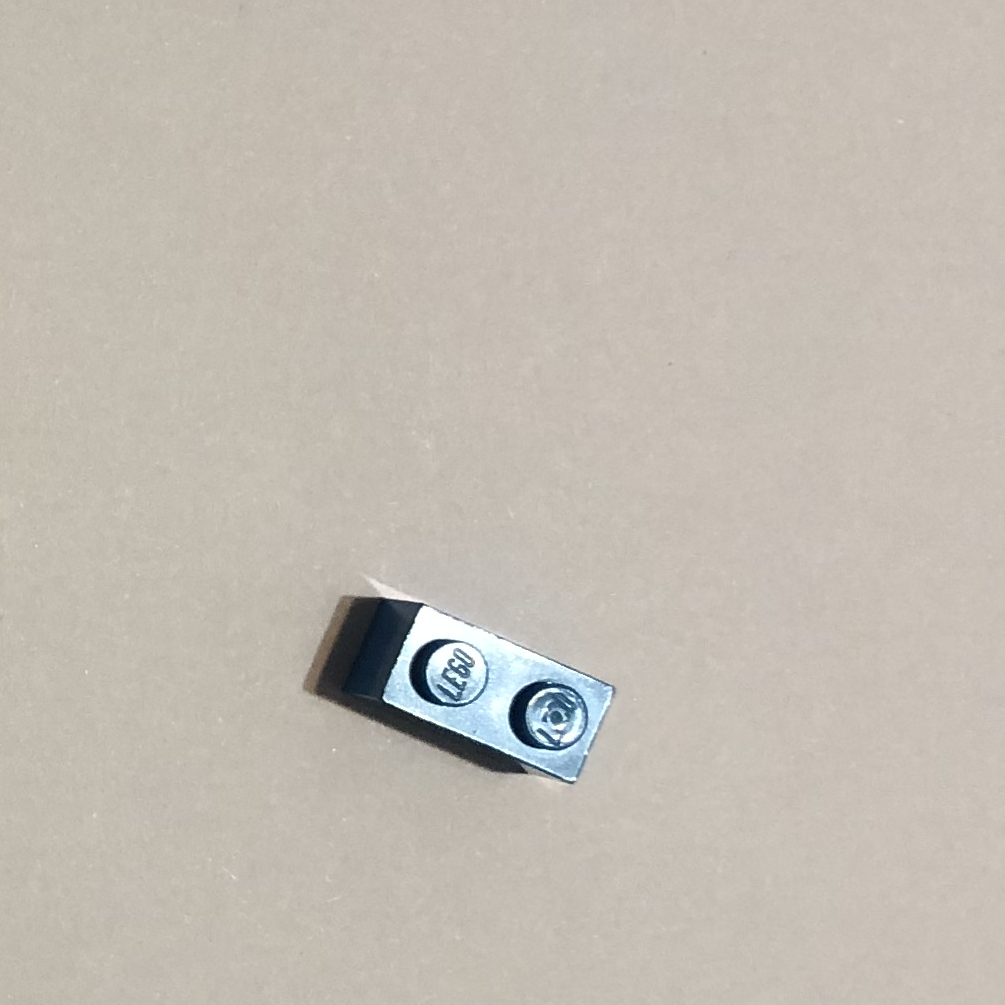
Image Preprocessing Pipeline
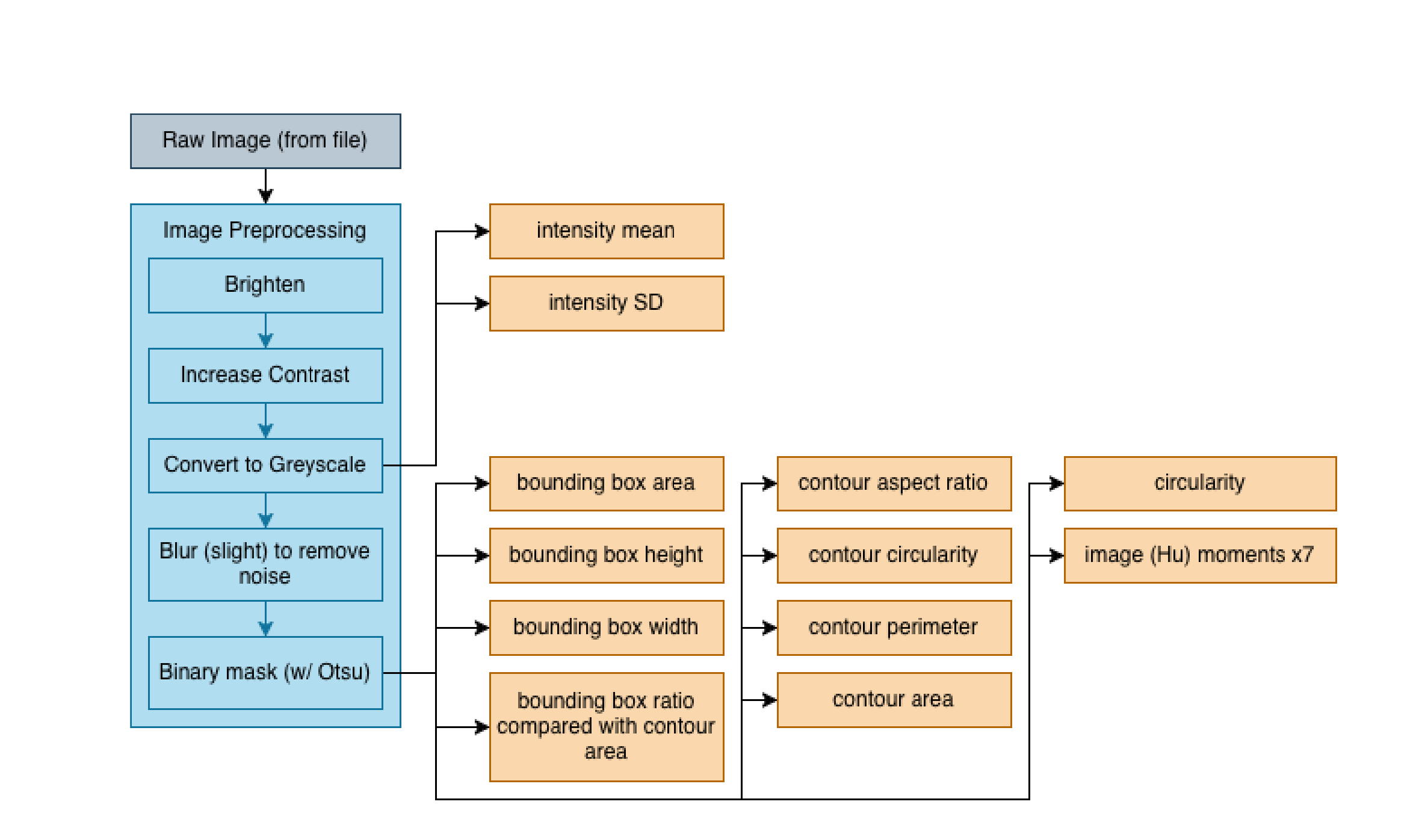
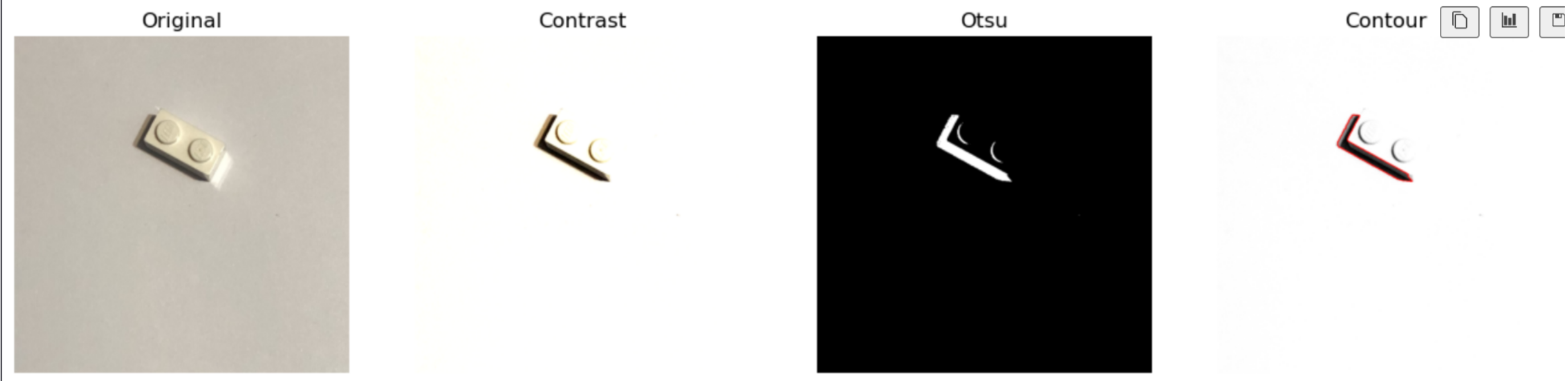
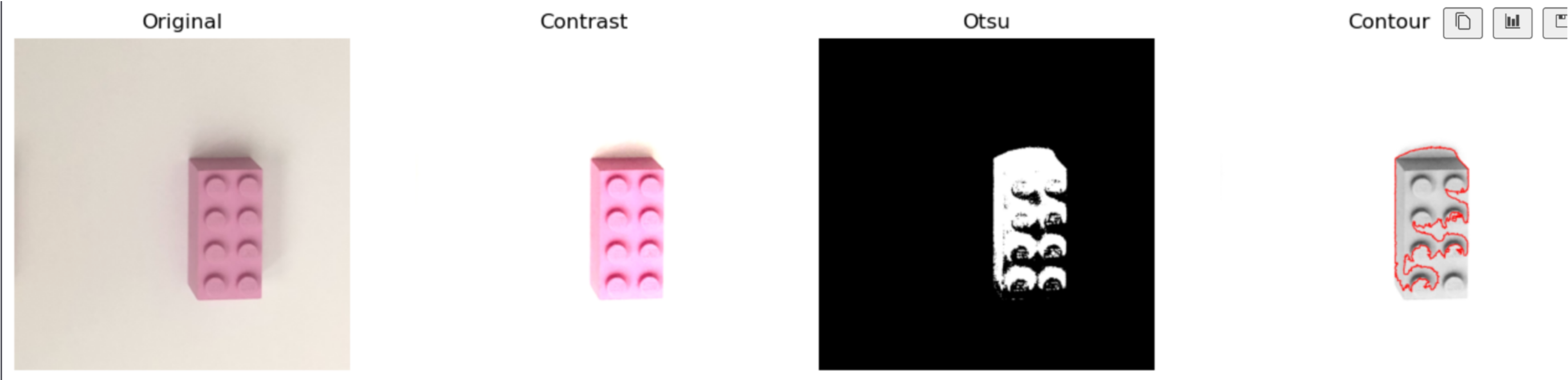
I designed a preprocessing pipeline that converts each RGB image into a clean binary mask from which geometric features could be extracted. The pipeline processes each image through the following stages:
- Brightness and contrast adjustment to improve separation between the Lego piece and the background
- Conversion to greyscale, since color is not important for shape-based classification
- Light blurring to reduce noise
- Binary thresholding using Otsu’s method to separate foreground from background
From the resulting binary image, I extracted the largest connected component and treated it as the Lego piece contour.
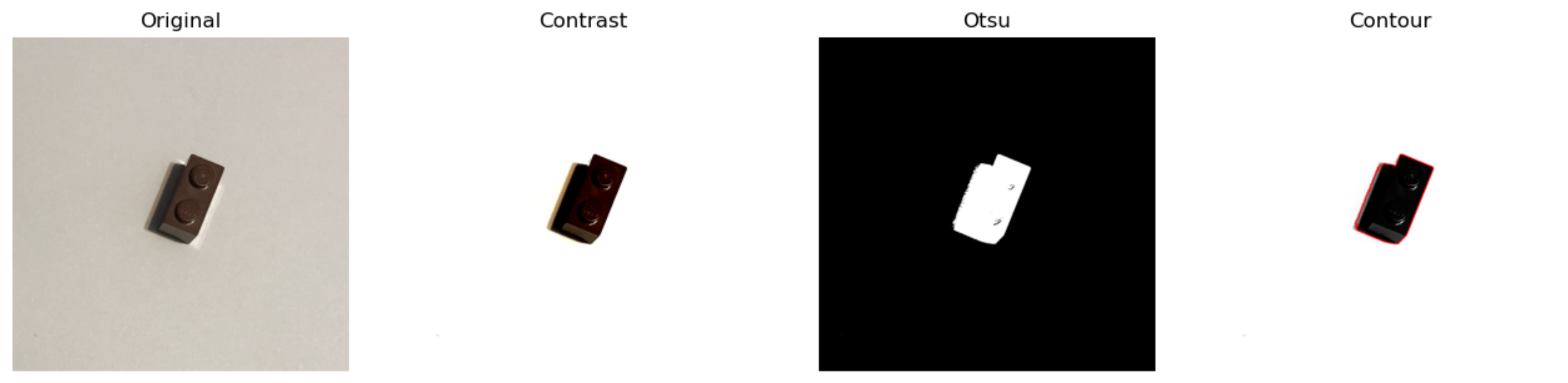
This approach worked well in most cases, especially when there was a clear intensity difference between the piece and the background. Very light-colored pieces were more challenging, but overall this pipeline allowed me to produce reliable contours for feature extraction.
Extracted Features
Using the contour, I extracted 17 features for each image. These features were chosen to describe the size and shape of the Lego piece while remaining robust to rotation and translation.
The features were things like
- Area and perimeter
- Bounding box width, height, and aspect ratio
- Ratio of contour area to bounding box area
- Circularity
- Mean and standard deviation of intensity within the mask
- Seven Hu invariant moments to capture rotation-independent shape information
Model Training
After feature extraction, I trained a multinomial logistic regression classifier on the engineered features. The dataset contained 108 training images and 108 testing images, evenly split across the four classes.
This feature-based approach dramatically improved performance compared to the raw pixel baseline. While the raw pixel classifier achieved only about 50–55% test accuracy on the realistic dataset, the feature-engineered model reached:
- 95.37% training accuracy
- 87.04% test accuracy
This smaller gap between training and testing accuracy meant that my new model was much better at generalization and wasn't overfitting.
Results
The feature-engineered model performed well across all four classes. Rectangular bricks were classified almost perfectly, and confusion between square and circular pieces was significantly reduced compared to the raw pixel approach.
Most remaining errors came from cases where segmentation was imperfect, such as cases where a very pale Lego pieces blended with the background. In these cases, inaccurate contours led to distorted geometric features and occasional misclassification.
Despite these limitations, the results clearly demonstrated that shape-based features are far more effective than raw pixels for this problem.